As an Amazon Associate I earn from qualifying purchases.
How to Use Sharp Commercial Microwave Oven?
How to Use Sharp Commercial Microwave Oven? Using a Sharp commercial microwave oven involves selecting power levels, setting times via touch pads or dials, and following safety protocols for high-volume reheating and defrosting in busy kitchens.
Sharp heavy-duty models deliver up to 2100W, ideal for restaurants handling hundreds of cycles daily.
simplybetterliving.sharpusa.com


Key Features of Sharp Commercial Microwaves
Sharp offers medium-duty (1000W) and heavy-duty (1200W–2200W) models with stainless steel construction for durability.
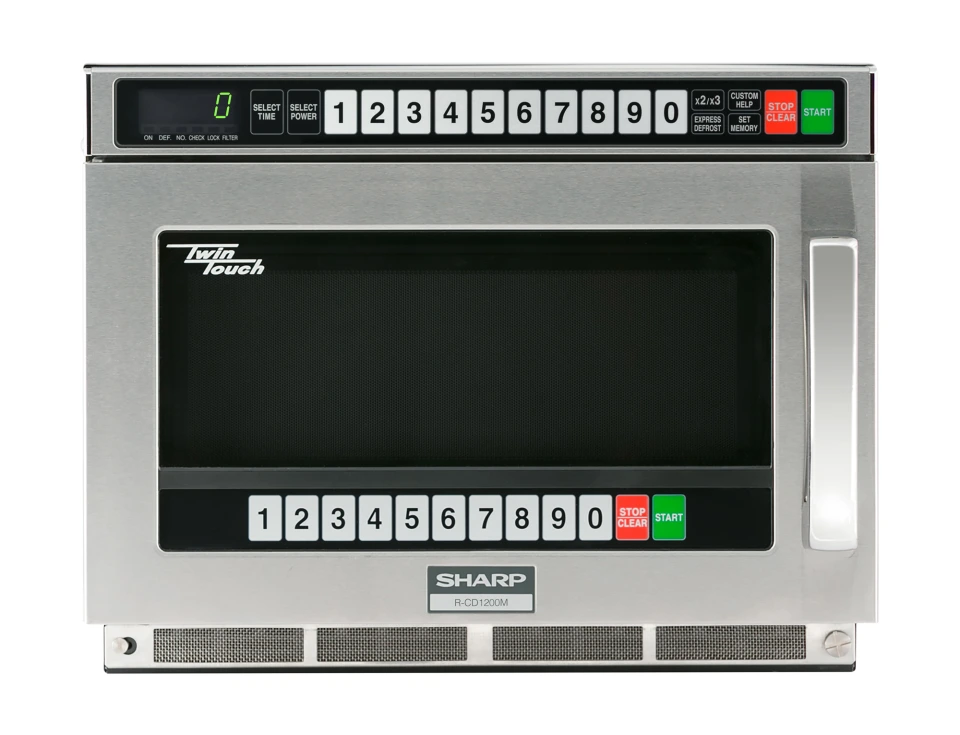
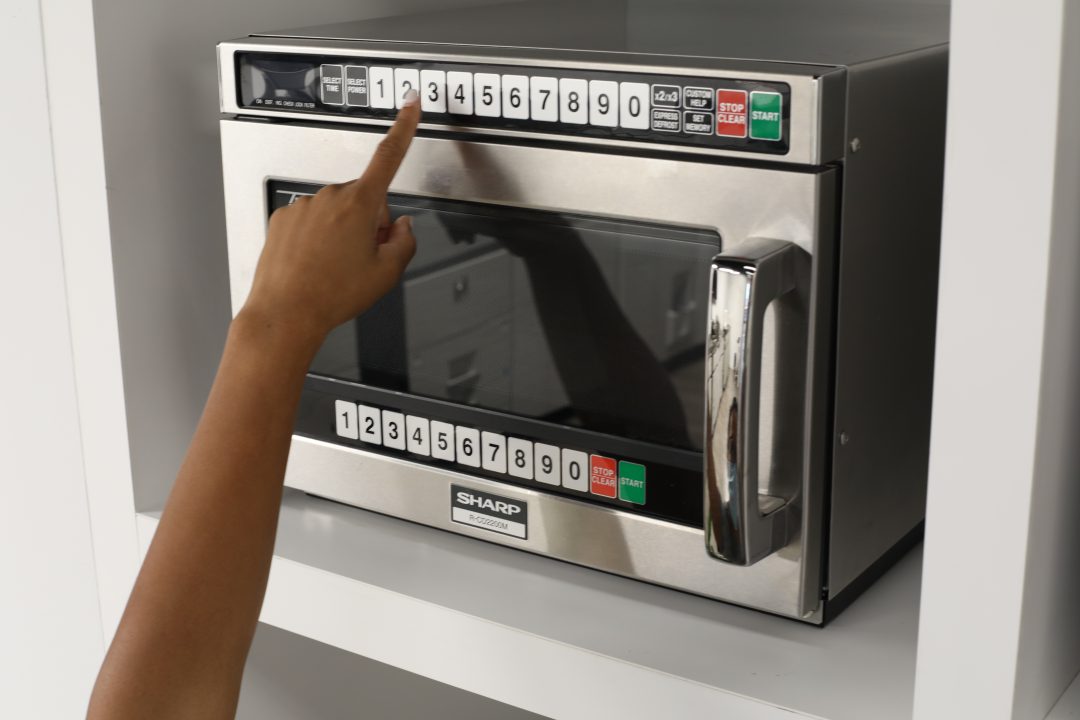
Notable innovations include TwinTouch™ dual control panels for accessibility in stacked setups, preventing unsafe reaching.
- Programmable memories (up to 100 on some models).
- Express Defrost for even thawing.
- Stackable design saves space.
- Large cavities fit half-size steam pans.
These features support high-volume operations, with NSF and UL certifications ensuring commercial safety.
Basic Operation Steps
Operation varies by model (dial vs. digital), but core steps remain consistent:
- Place food in microwave-safe container on ceramic shelf or turntable.
- Close door securely (interlocks prevent operation if open).
- Select power level (if applicable: High 100%, Medium 70%, etc.).
- Enter time using numeric pads or dial.
- Press START.
- Monitor through see-through door; stir midway for even heating.
For digital models like R-21LVF:
- Use 10/20 memory pads for pre-programmed items.
- Double Quantity pad auto-adjusts for multiples.
Tip: Always use microwave-safe utensils; avoid metal.
Power Levels and Cooking Guidelines
Sharp commercial ovens offer multiple power settings for precise control.
| Power Level | Percentage | Best For | Example Time (8 oz portion) |
|---|---|---|---|
| High | 100% | Reheating, boiling | 20–40 seconds |
| Medium High | 70% | Cooking, baking | 40–60 seconds |
| Medium | 50% | Simmering | 60–90 seconds |
| Defrost | 30% | Thawing | Varies by weight |
Use lower power for even defrosting to prevent edge cooking. Express Defrost automatically cycles power.
Safety Tips
Commercial microwaves operate at high power, demanding strict safety adherence.
- Never operate empty to avoid magnetron damage.
- Ensure proper ventilation; maintain clearances.
- Clean daily: wipe stainless interior with mild soap; avoid abrasives.
- Use rubber-sealed ceramic shelf for easy cleanup.
- Train staff on door interlocks and no metal rule.
Quotation: “Improved accessibility boosts efficiency and safety,” per Sharp on TwinTouch design.
For detailed guidelines, review Sharp commercial microwave resources.
Maintenance and Cleaning
Daily cleaning extends lifespan in high-use environments.
- Wipe interior/exterior with damp cloth and mild detergent.
- Remove and wash shelf.
- Check door seals for damage.
- Professional servicing for issues like failed magnetron.
Sharp models feature durable builds resisting pitting and chipping.
FAQ
How do I program memory settings? On digital models, enter time/power, press SET, then assign to a pad (consult model manual).
Can I stack Sharp commercial microwaves? Yes, many heavy-duty models are stackable for space efficiency.
What wattage options are available? 1000W (medium-duty), 1200–2200W (heavy-duty/TwinTouch).
Is defrosting safe for commercial use? Yes, Express Defrost ensures even thawing; better than manual for consistency.
Where can I find the manual? Download from Sharp USA support.
Final Thoughts
Mastering a Sharp commercial microwave enhances kitchen speed, consistency, and safety in demanding settings. Prioritize training and maintenance for optimal performance across thousands of cycles. Consult specific model manuals for tailored instructions.